Trading volume as an activity metric
Trading volume describes how actively an instrument traded over a period and helps compare activity between pairs.

Compare trading pairs by volume and price change to find active instruments for further analysis. MultiLaunchess brings Binance and Bybit market data for Spot and Futures into one workspace.
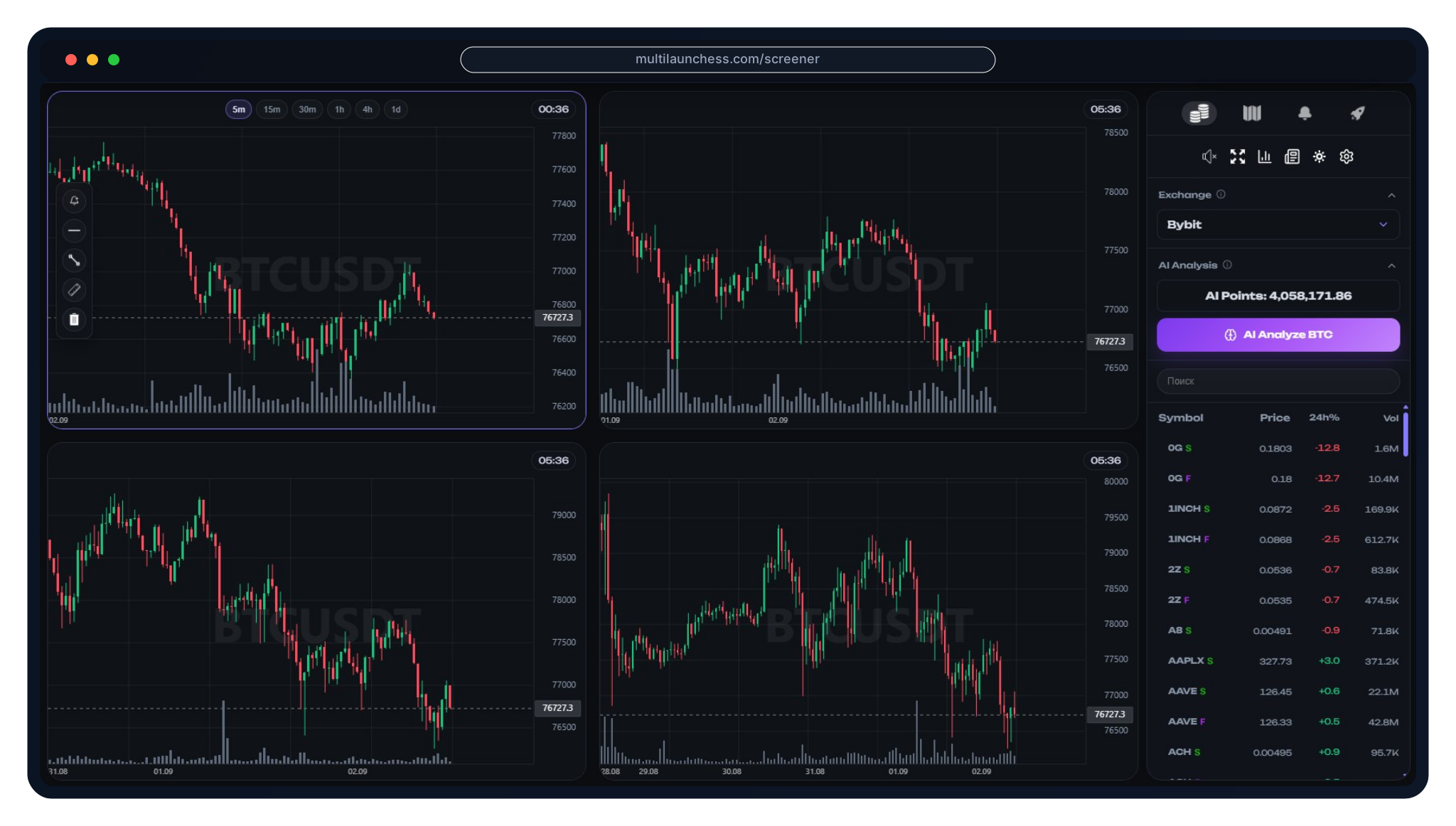
Trading volume describes how actively an instrument traded over a period and helps compare activity between pairs.
Use the Screener table to compare volume, price and price change across supported instruments.

High volume is not a trading signal by itself, but it can help surface active pairs for further chart analysis.

Compare price movement with trading activity. The same percentage move can have different context at different volume levels.

During a strong decline, volume helps show whether the move is accompanied by increased market activity.
A sharp volume change can be a reason to inspect the chart, key levels and other market data for the selected pair.

Volume describes trading activity, while volatility describes the scale of price movement. They complement each other but are not interchangeable.

Comparing volume and price change helps surface instruments experiencing meaningful market movement.

After selecting a pair, open its chart and review price structure, levels and other available data.
Analyze supported Binance trading pairs in Screener and compare their market metrics.

Switch to supported Bybit markets in the same interface and continue analysis without changing workspaces.

Keep Spot and Futures separate when comparing instruments because market structure, volume and position risk differ.

Choose Binance or Bybit and the relevant market type — Spot or Futures.

Review volume, price and price change to find instruments with relevant market activity.

Check the selected pair using price structure, key levels and volatility.
When useful, compare the move with liquidity densities, signals and other available analysis layers.

It helps compare trading pairs by volume and other market data to find active instruments for deeper analysis.
No. High volume describes trading activity but does not determine the direction of future price movement.
Volume measures trading activity, while volatility describes the scale of price movement. They are different metrics.
Screener supports Binance and Bybit Spot and Futures markets, but comparisons should account for their different market structures.
It helps show whether a meaningful price move is accompanied by market activity and can help select pairs for deeper analysis.
No. Volume is one market metric and should be evaluated with chart structure, levels, volatility, liquidity and risk.
Open MultiLaunchess Screener, compare volume and price change across Binance and Bybit, then move into analysis of the selected trading pair.